How many devices are you currently managing?
To determine the number of devices WhatsUp Gold is managing:
- Start the WhatsUp Gold web interface. Click Start > All Programs > Ipswitch WhatsUp Gold > WhatsUp Web Interface.
- Click the Home tab to view the Home Workspace reports.
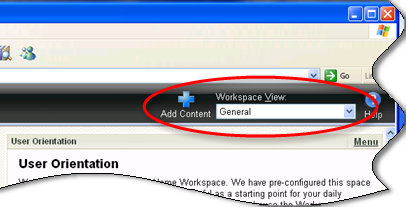
- In the Workspace View list, select General. This is a default workspace view that shipped with WhatsUp Gold.
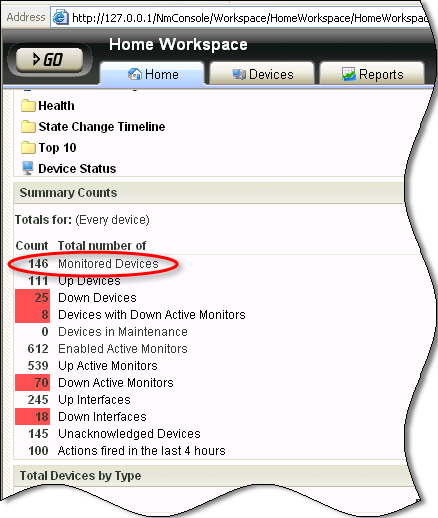
- View the Summary Counts workspace report. The Monitored Devices row indicates the number of devices you are monitoring with WhatsUp Gold.
Note: If the Summary Counts workspace report is not available in the General workspace report, click Add Content, click + to expand the Problem Areas report categories, then select the Summary Counts report.