About Device Categories View
Device Categories View automatically categorizes and groups network devices so they can be viewed by their functional characteristics. Categories include networking groups such as Routers, Switches, Hubs, and Wireless Access Points. This view also helps distinguish between desktop and server operating systems such as Macintosh, Windows, Windows Servers, Linux, and UNIX. Additional device categories, such as Printers and IP Phones, help organize your network data. Any device that is either not categorized, nor supports SNMP, is placed in the Unknown category.
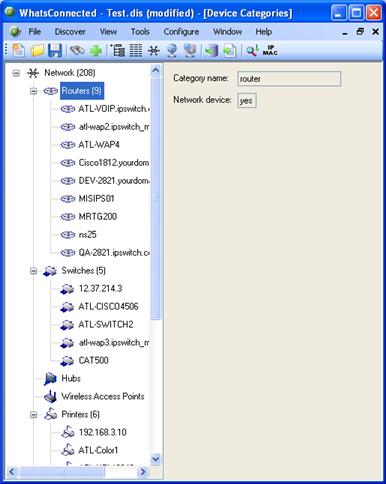
The Device Categories view also provides a tabular view of the inventory and configuration data that is gathered from each network device. For more information, see About Device Details tab view.
Data displayed in this view can be removed, printed, print previewed, or saved to a comma-separated-value (CSV) file for use in Microsoft Excel or other reporting applications. For more information, see About data grid views.
To view Device Categories:
- From the main menu of the WhatsConnected console, select View > Device Categories. The Device Categories view appears.
Tip: You can also view device categories from the WhatsConnected console shortcut menu. Click
 (Device Categories shortcut icon). The Device Categories dialog appears.
 - Click a category to expand it and view more information about the devices in the category.
- Click a device to display device details on the right side of the page.