About the Active Monitor Library
The Active Monitor Library dialog displays all active monitors currently configured for use in WhatsUp Gold.
In an effort to help you manage your network easily after your initial installation of the application, WhatsUp Gold includes 16 pre-configured active monitors. These pre-configured monitors are displayed in the Active Monitor Library. As you configure new active monitor types, they are added to the Active Monitor Library.
Note: Changes made to active monitors in the Active Monitor Library affect all instances of a particular monitor. For example, an active monitor may be applied to all devices in a particular device group. When a change is made to the active monitor via the Active Monitor Library, that change carries over to each device's instance of that particular active monitor.
To access the Active Monitor Library:
- On the console, click Configure > Active Monitor Library.
- From the web interface, click GO. If the WhatsUp menu is not visible, click WhatsUp. Then, from the WhatsUp menu, click Configure > Active Monitor Library.
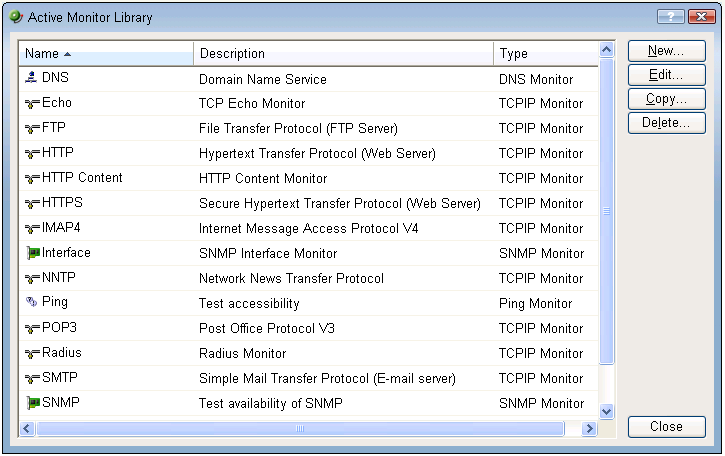
Use the Active Monitor Library dialog to configure new or existing active monitor types:
- Click New to configure a new active monitor type.
- Select an active monitor type, then click Edit to change its configuration.
- Select an active monitor type, then click Copy to make a copy of that type.
- Select an active monitor type, then click Delete to remove it from the list.
- In the WhatsUp Gold console, you can select an active monitor, then click Test to test the selected active monitor on a device.