Welcome to Ipswitch WhatsUp Gold v12
Welcome to Ipswitch WhatsUp Gold v12, the powerful network monitoring solution designed to help you protect your changing business infrastructure. WhatsUp Gold provides standards-based monitoring of any network device, service, or application on TCP/IP and Windows networks.
WhatsUp Gold lets you discover devices on your network, initiate monitoring of those devices, and execute actions based on device state changes, so you can identify network failures before they become catastrophic.
Discovery and Mapping
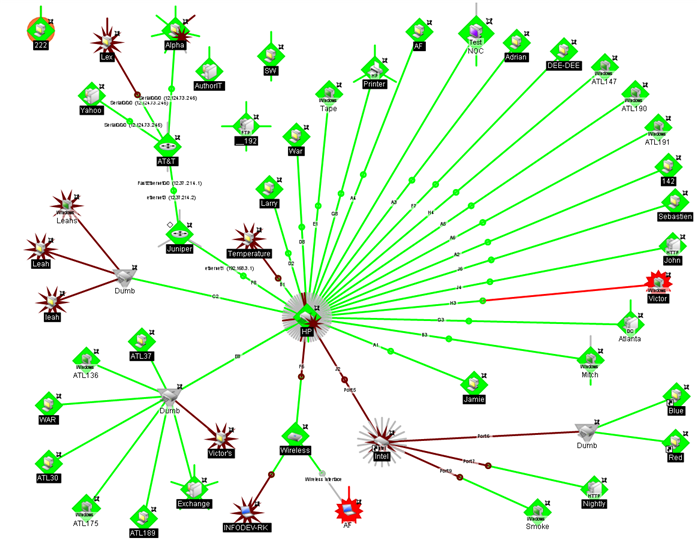
The WhatsUp Gold wizard-based discovery process searches for devices on your network and lets you decide which devices to monitor. You can view monitored devices as a list of devices or as a graphical map.
Polling/Listening
WhatsUp Gold actively polls devices to determine their statuses. You can use pre-configured active monitors, or create your own, to poll services on a device and to passively listen for messages sent across the network. Performance monitors track device performance by checking and reporting on device resources, such as disk, CPU, and interfaces.
Actions/Alerts
Depending on the responses received from polling, or the types of messages received, WhatsUp Gold fires actions to notify you of any change on your network. Actions help with problem resolution through options such as alerting via email or cell phone, or restarting a service.
Reporting and Workspaces
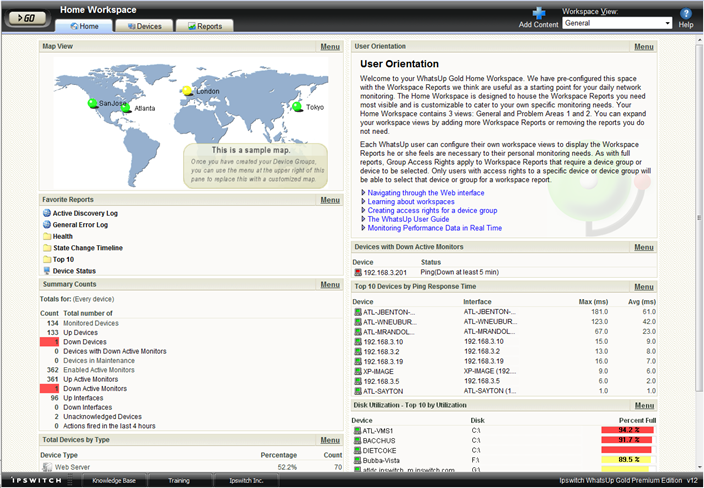
Reports ensure 360° visibility into current status, performance, and historical data for devices and monitors. Workspaces let you focus on segments of the network and create your own views into the report data. These views provide crucial network data in one location, which allows for quick and easy access. WhatsUp Gold offers more than 100 summary reports, or workspace reports, that can be used to customize workspaces. Each user can have their own customized workspace views.
WhatsUp Gold Interfaces
WhatsUp Gold offers two user interfaces, the Windows console interface and the web interface, which offer similar functionality. We recommend that you do the initial set up—discovery and mapping—on the console, then use the web interface for additional setup of monitors and workspaces, users and permissions, and for day-to-day monitoring.
- Windows console interface. The WhatsUp Gold console is a Windows application, through which you can configure and manage WhatsUp Gold and its database.
- Web interface. The web interface provides access to WhatsUp Gold functionality (via HTTP or HTTPS) from a web browser.